Start With the Guided Introduction
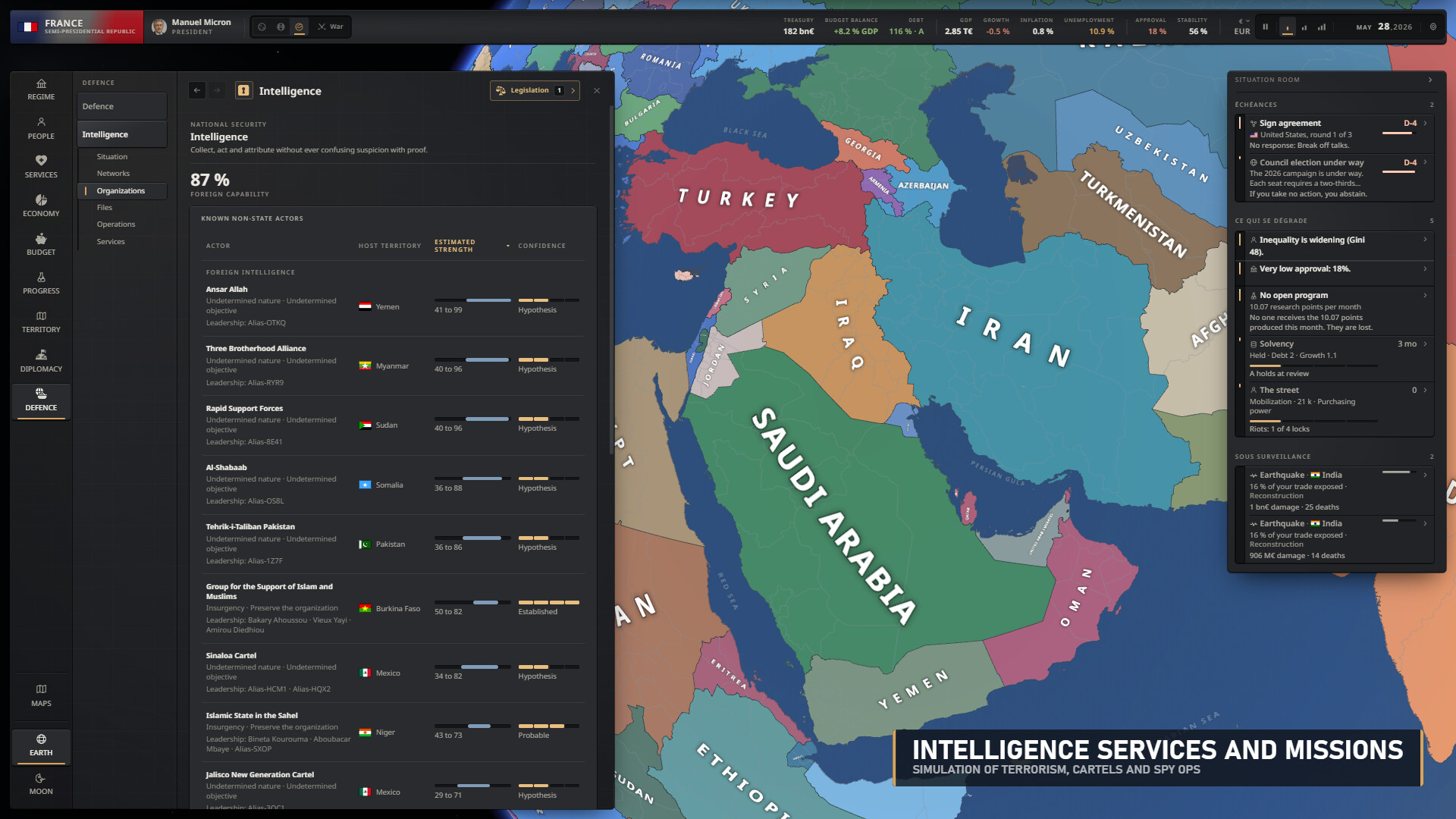
Geoplanetical is Polytale Games' single-player geopolitical simulator; start with Learn to play, then the official gameplay guide and FAQ. Use the developer wiki next for exact instructions on budgets, party resources, mods and console commands.
Campaigns begin on January 1, 2026, and let you govern or lead an opposition party while other countries keep acting independently. There are no scripted scenarios, alternate historical starts or fixed victory condition. Leaders and parties are fictional, even though the starting world draws on real-world economies and institutions.
Get Geoplanetical Through Steam
Geoplanetical entered Steam Early Access on October 28, 2026. Polytale Games develops and publishes it, and Steam lists Windows and Apple Silicon Mac requirements. Open the Steam page to check the requirements for your machine and get the game.
Your campaign continues without a fixed end date, and losing an election does not automatically end it. You can keep leading your party in opposition or switch country or political role through the pause menu. Choose a role you want to explore rather than expecting a prescribed route to a victory screen.
Choose the Guide That Matches Your Task
- Open the official gameplay guide and FAQ for your first campaign. It explains playable roles, campaign rules and available guidance, helping you choose how much assistance you want while learning the simulation.
- Open the developer wiki's budget and currency instructions when inflation or state funding is the problem. Its borrowing and monetary-financing procedures show the available controls, their prerequisites and the consequences for treasury cash, debt and prices.
- Open the developer wiki's party instructions when campaign resources run short. They explain fundraising, activist recruitment and influence separately, including why replenishing party money does not restore influence.
- Open the developer wiki's Mod studio instructions to change presentation. They explain creating and saving a mod, restarting the game and finding the reason a mod is marked incompatible in Manage mods.
- Open the complete console reference before experimenting with commands. It explains arguments, toggles and the permanent achievement consequence of successful cheats, while distinguishing help and display commands from commands that alter the simulation.
Keep State Finances and Party Resources Separate
Budget → Revenue & taxes and Budget → Spending feed the same proposal. Review projected revenue, spending and balance before selecting Apply in the Budget project bar. Borrowing through Budget → Summary is a separate action, so adopting a budget reform and receiving loan proceeds are different decisions.
For monetary financing, Budget → Summary → Emergency measures contains Create money. This requires a compatible monetary system and government control of the central bank, and IMF conditions can prohibit it. Printing raises prices and adds central-bank-held debt; repaying the central bank does not instantly restore lost credibility.
Party money, activists and influence are separate resources. Politics → My party contains Raise funds and recruitment, but influence recovery depends on party support and cohesion, with promises affecting it. Fundraising and recruitment each allow one action per calendar month; campaign operations require an active campaign, sufficient resources and seven days between operations. Follow through on promises using the relevant decision screens: announcing a platform does not change a law, apply a budget or build a power plant.
Know What Mods and Console Commands Change
Presentation mods can change leader and party names, portraits and flags; they do not change the simulation or its rules. From the main menu, Mod studio → New mod starts your own project, while Workshop mods are enabled in Manage mods. Save mod followed by a restart matters because mods load at startup rather than during a campaign.
During a campaign, open the console with the key immediately left of 1: the backtick on a US keyboard, ² on a French PC keyboard or @ on a French Mac keyboard. Enter help to list commands and use Tab to complete names and arguments. A successful cheat permanently disables Steam achievements for that campaign; switching its toggle off does not restore eligibility.
Use help money to inspect that command before deciding whether to run it. Help and display commands do not disable achievements. Treat an economy altered by cheats as an experiment when comparing it with the results of normal budget decisions.
Read Campaign Explanations and Early Access Changes
Use the Agenda to find approaching deadlines and country reports to catch up on changes. Ministers give advice on their portfolios, and Where these numbers come from breaks down approval and stability. Learn to play provides a guided introduction; Essential guidance offers lighter help, while Help on demand is another available option.